Templates#
An example teaches one feature. A template starts a product: a complete app with its own README, a one-command deploy, and — the part nobody can copy quickly — agent evals that prove its agent surface works.
bun create janux my-app --template dashboard
cd my-app && bun install && bun run dev   # http://localhost:4321
Run it without a name and the gallery lists itself, one line each:
bun create janux my-app --templateEvery template boots with no API key at all. The one with a copilot degrades on
purpose: without JANUX_MODEL the app still runs, every button works, and the copilot
answers with a setup card next to a chip that replays the same task through real tool
calls and no model.
The gallery#
dashboard — a copilot that really drives the UI#
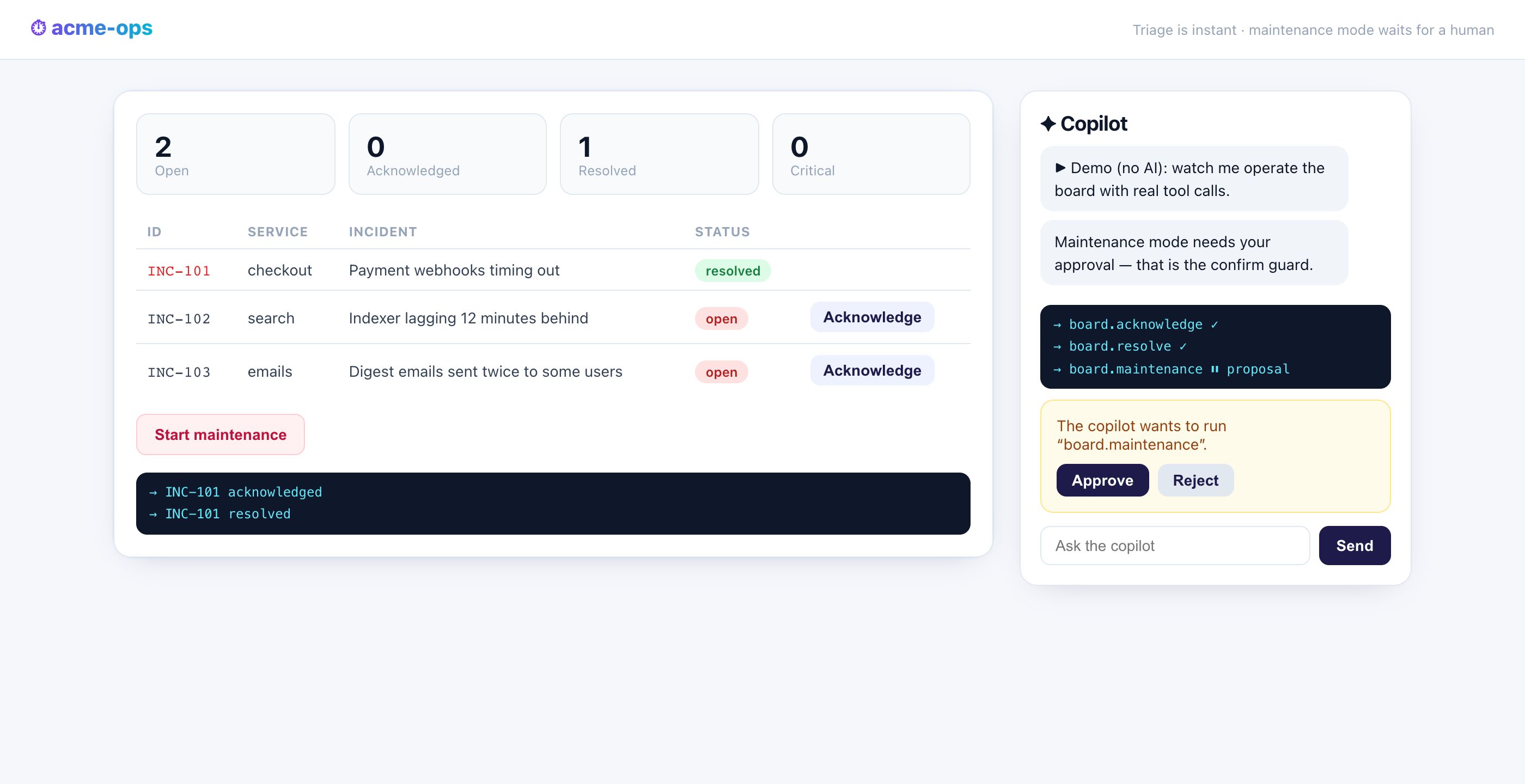
Incident triage where the copilot is an operator, not a chat widget. It reads the board
through api.ops.board, acknowledges and resolves with the same tools the buttons
call, and when it reaches for the customer-visible switch — maintenance mode — the
confirm guard turns its call into a proposal only a
human approves.
| Tool | Guard |
|---|---|
api.ops.board, api.ops.acknowledge, api.ops.resolve |
auto |
api.ops.maintenance |
confirm |
Its evals replay triage, the whole propose → approve → consumed-proposal flow, and the validation walls — no model, no key.
bun create janux my-ops --template dashboardback-office — CRUD with a human in the loop and one audit trail#
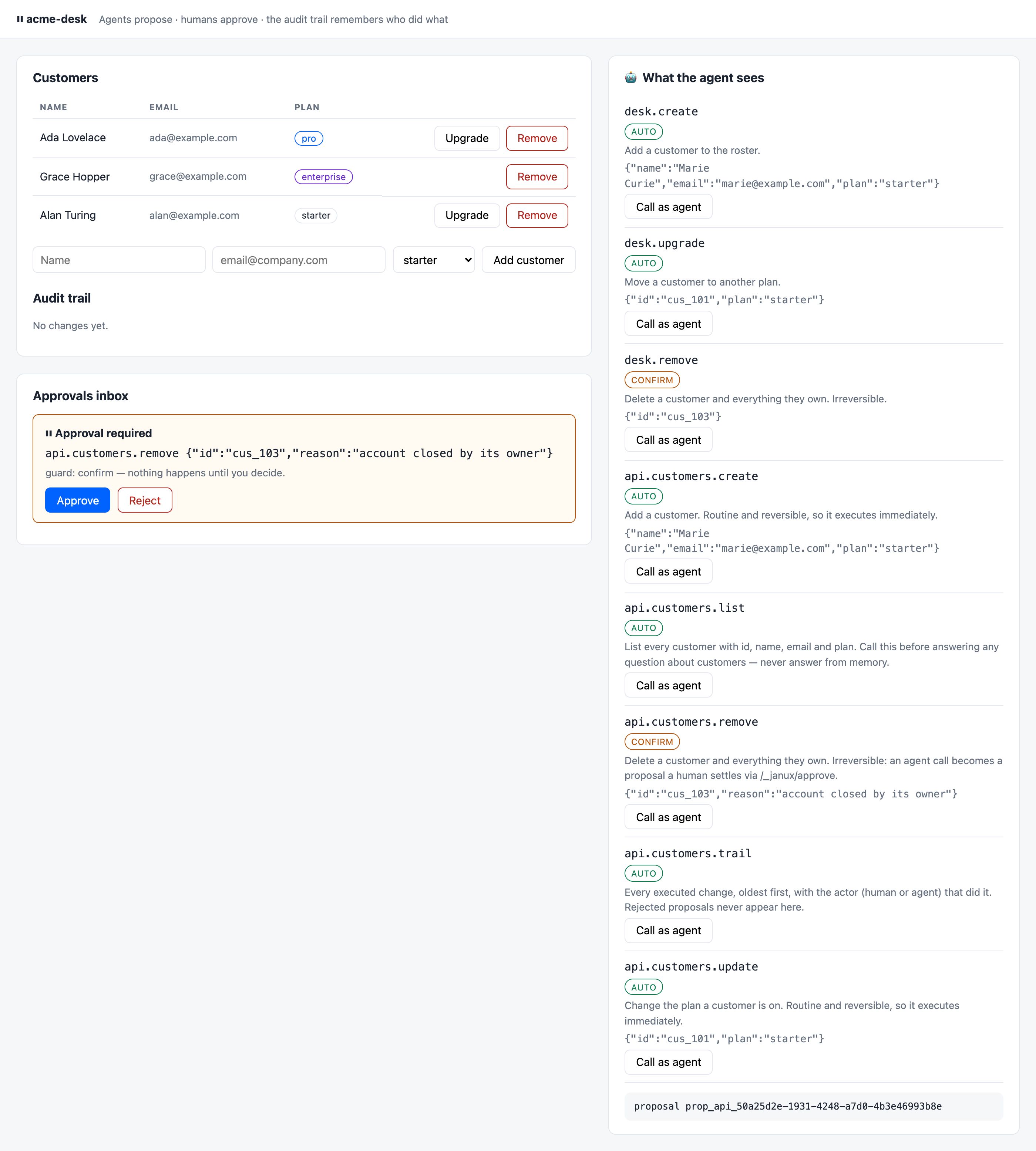
A customers desk where who is asking changes what happens. Adding a customer or
changing a plan executes for humans and agents alike; deleting one is confirm-guarded,
so an agent's call parks in the approvals inbox until a human decides. Every executed
change lands in one audit trail that records the actor from the invocation
origin — not from a form field.
| Tool | Guard |
|---|---|
api.customers.list, .create, .update, .trail |
auto |
api.customers.remove |
confirm |
Its evals cover the CRUD loop, the full approval flow including what the trail says afterwards, and the rejected paths.
bun create janux my-desk --template back-officecontent-site — a site agents read natively#
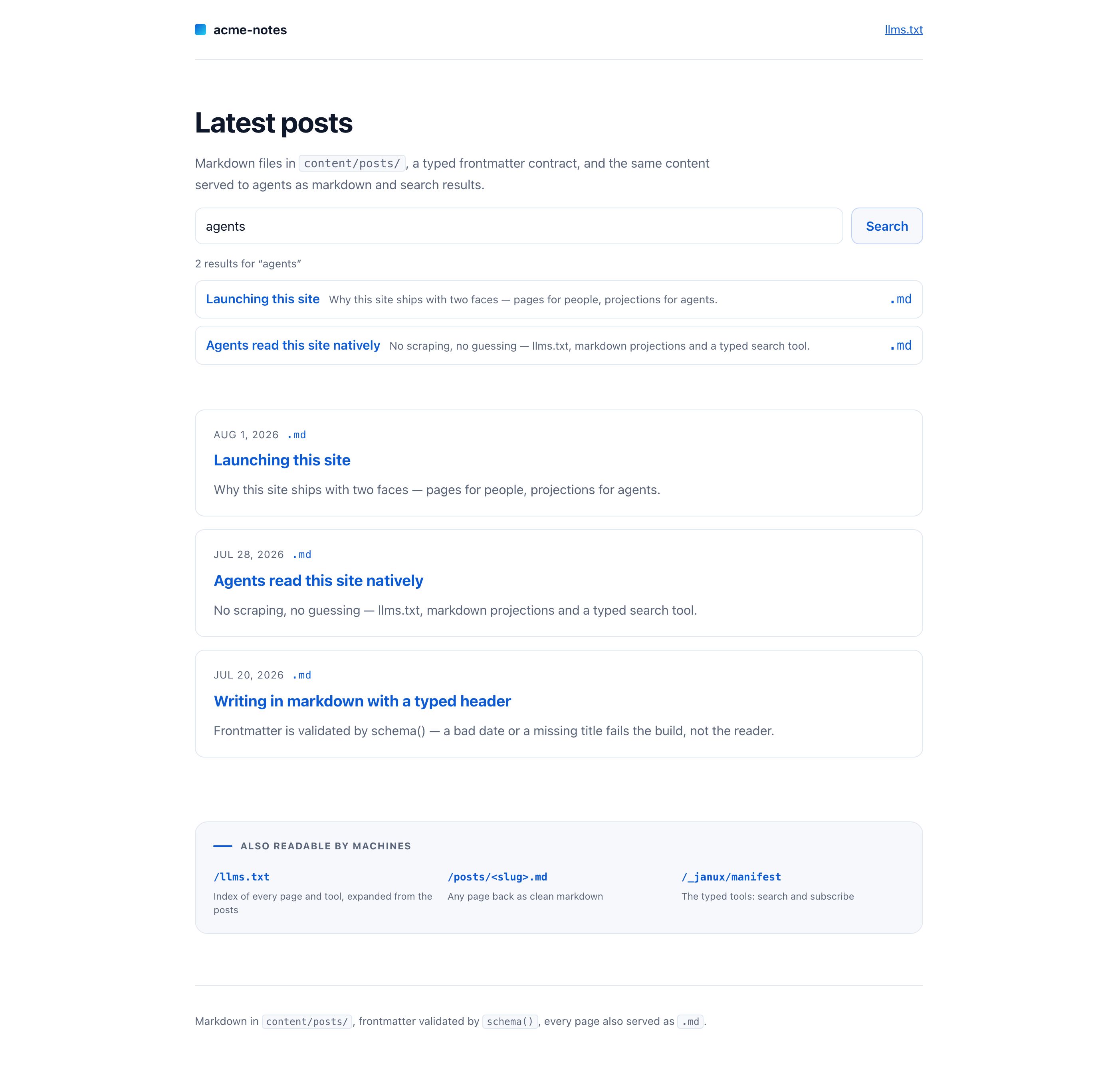
Markdown files with a typed frontmatter contract, served with two faces. People get
pages; agents get llms.txt, every page as a clean .md
projection, and a typed api.site.search tool that is the same code as the search
box in the header. Mark a post draft: true and it leaves the index, the search and
llms.txt at once.
| Surface | What an agent gets |
|---|---|
GET /llms.txt |
Every published page and every tool |
GET /posts/<slug>.md |
Any page back as markdown — no scraping |
api.site.search |
Typed search; drafts never returned |
api.site.subscribe |
Subscribe an email; duplicates refused loudly |
Its evals prove the search hits, that the draft never leaks, and the validation walls.
bun create janux my-notes --template content-siteWhat every template guarantees#
- Runs on a clean machine. Scaffolded outside this repository,
bun install && bun run devserves the app — checked in CI, not by hand. - No API key to start. Nothing mandatory; the copilot degrades with a setup card and a no-model demo.
- Its own README, with the agent surface, the evals and the deploy line.
- Deployable in one command:
bun run build && bun run start, or Vercel after a one-timebunx janux-vercel— see deploying. - Green evals:
bun run evalrunsjanux evalover scripted agent tasks and turns them into an exit code. That is the file to copy into your own CI.